Complete Guide to E-Bike Controller Wiring and Troubleshooting
You want safe and reliable e-bike controller wiring. This guide gives you step-by-step instructions for connecting your controller and solving problems. You keep your ride smooth and your e-bike working well when you follow safety tips and check your system often. Use these steps for setup and regular maintenance.
Key Takeaways
- E-bike controllers are like the brain of your bike. They control how power moves and keep you safe.
- There are different controller types, like square wave and sine wave. These change how smooth and efficient your ride feels. Pick the one that fits what you want.
- You can change things like current limit and ramp rate. This helps you set up your e-bike for how you like to ride.
- Always look at wiring connections and insulation before you ride. This stops accidents and keeps you safe.
- Use the right tools and follow safety rules when fixing your e-bike. This helps you avoid getting hurt or breaking parts.
- Check your e-bike often and replace old parts when needed. This keeps your bike working well and safely.
- Error codes on your display can help you find problems fast. If something is wrong, check wires and connectors first.
- Protect your wiring from water with heat shrink tubing and waterproof connectors. This stops moisture and rust from hurting your bike.
E-Bike Controller Wiring Basics
What Is an Ebike Controller
The ebike controller is found in every e-bike. It works like the brain of your electric bike. It connects the battery, motor, throttle, and sensors together. When you ride, the controller listens to what you do. If you twist the throttle or pedal, it decides how much power goes from the battery to the motor. This helps your e-bike run safely and smoothly. The controller manages all the electrical signals. It makes sure each part works with the others. To learn about e-bike controller wiring, you need to know how the controller links every part.
Controller Functions
The ebike controller does many important things. Here are its main jobs:
- Controls how much power goes from the battery to the motor.
- Uses sensor input to change the e-bike’s speed.
- Lets you pick how much help you get from the motor.
You use the controller to manage your ride. It is the main center for all electrical parts. The controller reads signals from the throttle, pedal sensors, and brake levers. It sends the right amount of battery power to the motor based on what you do. This keeps your ebike safe and working well. The controller also lets you change your ride. You can set your speed, power, and help level. The table below explains each job:
| Function | Description |
|---|---|
| Power Delivery | Sends battery power to the motor. You control speed and help level. |
| Safety | Watches system settings. Changes power for safe riding. |
| Performance Optimization | Uses smart programs. Makes the motor work better using battery voltage and pedal speed. |
| User Customization | Lets you change settings. You get a ride that fits you. |
Controller Types
There are different kinds of e-bike controllers. Each type has special features for wiring and riding. The main types are square wave, sine wave, and dual mode controllers. The table below shows their main features:
| Feature | Square Wave | Sine Wave | Dual Mode |
|---|---|---|---|
| Power Delivery | Sudden pulses | Smooth waves | Changes (sensored/sensorless) |
| Noise Level | Loud (buzz/whine) | Very quiet | Quiet |
| Ride Smoothness | Jerky at slow speed | Very smooth | Smooth |
| Efficiency | Lower | Higher (up to 97%) | High (changes) |
| Torque Ripple | 15-20% | Less than 5% | Low |
| Sensor Dependence | Needs sensors | Sensors or not | Changes |
| Cost | Cheap | Expensive | Expensive |
| Complexity | Simple | Complex | Complex |
| Failsafe Operation | No | No | Yes |
You pick a controller based on what you need. Square wave controllers are cheaper and simple. Sine wave controllers give you a quiet and smooth ride. Dual mode controllers work with both sensored and sensorless motors. They keep your e-bike working if a sensor stops. By using this guide, you learn how each controller type changes your e-bike wiring and how your bike works.
Customization Options
You can make your ebike controller work just the way you want. Customization options let you change how your e-bike responds when you ride. You get to adjust settings that control speed, power, and how the motor reacts. These changes help you match your e-bike to your riding style and the places you ride.
One important setting is the current limit. When you raise the current limit, your e-bike controller sends more power from the battery to the motor. This gives you stronger acceleration and more speed. If you lower the current limit, you save battery life and get a longer ride. You need to find the right balance for your needs.
Ramp rate is another setting you can change. Ramp rate controls how quickly the motor responds when you start pedaling or twist the throttle. A fast ramp rate makes your e-bike jump forward quickly. A slow ramp rate gives you a smoother start. You can pick the ramp rate that feels best for you.
Pedal sensitivity is also important. You can set how quickly your ebike controller reacts when you pedal. High pedal sensitivity means the motor helps you right away. Low pedal sensitivity means you need to pedal harder before the motor helps. This setting lets you control how much effort you want to use.
Here is a table that shows how these options affect your ride:
| Customization Option | What You Can Change | Impact on Performance |
|---|---|---|
| Current Limit | Power sent to motor | More speed or longer battery life |
| Ramp Rate | Motor response speed | Quick starts or smooth acceleration |
| Pedal Sensitivity | Reaction to pedaling | Immediate help or more manual effort |
Tip: Always check your e-bike controller wiring before you change any settings. This keeps your system safe and working well.
You can use your guide to learn how to adjust these options. Most e-bike controllers let you change settings using a display or a special app. Some controllers have buttons or dials. You should read the manual for your e-bike controller before you make changes. If you set the current limit too high, you might drain your battery faster. If you set pedal sensitivity too low, you may not get enough help from the motor.
You can also add accessories to your ebike. Displays, lights, and extra sensors make your ride better. When you add new parts, you need to check your ebike wiring and make sure everything connects the right way. Good e-bike controller wiring helps you get the most from your e-bike.
Customization lets you make your e-bike fit your life. You get more comfort, better performance, and a safer ride. Try different settings and see what works best for you.
Ebike Controller Components
Your e-bike controller system connects several key parts. Each part has a special job and needs proper wiring for safe and smooth rides. Let’s look at the main components you will work with.
Battery
The battery powers your ebike. It stores energy and sends it to the controller, which then gives power to the motor.
Types
You will find different battery types on e-bikes. The most common are lithium-ion, lead-acid, and nickel-metal hydride. Lithium-ion batteries are light, last long, and charge quickly. Lead-acid batteries cost less but weigh more and do not last as long. Nickel-metal hydride batteries sit between the other two in weight and lifespan.
The voltage and capacity of your battery affect how your e-bike performs. Higher voltage means your motor gets more power. You will notice better acceleration, more torque, and higher top speed. If you ride up hills or want a longer range, a higher voltage battery helps. Always check that your battery, motor, and controller match. This keeps your e-bike controller wiring safe and efficient.
Safety
You must handle your battery with care. Always use the right charger and avoid overcharging. Store your battery in a cool, dry place. Never use a damaged battery. Good battery connections prevent sparks and overheating. If you see swelling or leaks, stop using the battery right away. Proper wiring and safe handling keep you and your e-bike safe.
Tip: Always double-check your battery connections before every ride. This simple step can prevent many problems.
Motor
The motor turns electrical energy into movement. It works with the controller to move your e-bike forward.
Types
You will see two main types of motors on e-bikes:
| Motor Type | Description | Advantages |
|---|---|---|
| Hub Motors | Sits in the front or rear wheel hub. | Simple design, easy to install. |
| Mid-Drive Motors | Sits at the bike’s bottom bracket and uses the bike’s gears. | Better balance, more power on hills. |
Hub motors are common and easy to use. Mid-drive motors give you more control and better performance, especially on steep roads.
Wires
Your motor connects to the controller with several wires. Thick wires carry power from the battery. Thin wires send signals for speed and direction. You must follow the color codes and use proper wiring to avoid mistakes. If you mix up the wires, your motor may not run or could get damaged. Always check the manual for your e-bike before making changes to the ebike wiring.
Throttle
The throttle lets you control how much power goes to the motor. You use it to speed up or slow down your e-bike.
Types
You can choose from three main throttle types:
- Thumb throttle: You press it with your thumb. It is easy to use and helps you keep a firm grip.
- Half-twist throttle: You twist part of the handlebar. It gives you good control and is less likely to turn by accident.
- Button throttle: You press a button for power. It is simple but does not let you control speed as smoothly.
Each throttle type changes how you control your e-bike. Thumb throttles are great for beginners. Half-twist throttles balance control and safety. Button throttles are easy but less precise.
Signal
The throttle sends a signal to the controller. When you press or twist the throttle, it tells the controller how much power to send to the motor. The design of the throttle affects how sensitive your e-bike feels. Choose the throttle that matches your riding style and comfort.
Note: Always make sure your throttle matches your controller for the best performance.
Pedal Sensor
Function
The pedal sensor is a key part of your e-bike controller system. You use it every time you ride. This sensor helps the controller know when and how hard you pedal. When you start pedaling, the sensor sends a signal to the controller. The controller then tells the motor to give you extra help. This makes riding easier, especially on hills or long trips.
You will find that the pedal sensor works in these ways:
- It translates your pedaling effort into electric assistance.
- It detects how fast or how hard you pedal.
- It sends a signal to the controller, which activates the motor.
With a working pedal sensor, your e-bike feels smooth and natural. You get help only when you need it. This also helps save battery power because the motor does not run all the time. Good e-bike controller wiring ensures the pedal sensor works with the rest of your system.
Brake Levers
Cut-Off
Brake levers with cut-off switches keep you safe. When you pull the brake, the cut-off switch sends a signal to the e-bike controller. The controller then stops the motor right away. This means the motor will not push the bike forward while you try to stop.
Here is how brake levers with cut-off switches work:
| Function | Description |
|---|---|
| Cut-off switch activation | Engages when brakes are applied, cutting power to the motor. |
| Emergency braking protection | Overrides throttle input to prevent motor assistance during braking. |
You get better control over your ebike. The cut-off switch prevents the motor from running when you brake. This reduces the risk of accidents. You can stop quickly and safely, even if you use the throttle by mistake. Proper wiring of your brake levers is important for your safety and for the correct function of your e-bike controller.
Tip: Always check your brake levers and cut-off switches before each ride. This simple step helps keep you safe.
Display
Data
The display on your e-bike shows you important information. You use the display to check your speed, battery status, and riding mode. This helps you plan your ride and manage your battery connections.
Most e-bike displays show:
- Speed
- Battery status
- Riding modes
You can see how fast you go and how much battery you have left. You can also switch between different riding modes, like eco or sport. The display connects to the controller and helps you get the most from your ebike. Make sure you use proper wiring when you connect the display. This keeps your e-bike controller working well and gives you the data you need for a safe ride.
E-Bike Controller Wiring Diagrams
Reading Diagrams
You need to read wiring diagrams before you start any e-bike controller installation. These diagrams show you how each wire connects to the right part. You see lines, symbols, and labels that guide you step by step. Each wire has a color and a name. The diagram helps you match the wires from the controller to the battery, motor, throttle, and other components.
Start by looking for the legend or key. This section explains what each symbol means. You find battery symbols, motor icons, and lines for wires. Follow the lines from the controller to each part. Check the labels for wire colors and functions. If you see a red line, it usually means power. Black lines often mean ground. Diagrams make wiring easier and safer. You avoid mistakes and keep your e-bike working well.
Tip: Always keep your wiring diagram close during installation. This helps you double-check each connection.
Color Codes
Color codes help you connect wires the right way. Each wire color matches a specific function. You must follow these codes to avoid confusion and prevent damage. Most e-bike controller wiring diagrams use standard color codes. Here is a table to help you:
| Wire Function | Standard Color Codes |
|---|---|
| Battery Positive (+) | Red |
| Ground (–) | Black (or Brown) |
| Motor Phase Wire 1 | Yellow |
| Motor Phase Wire 2 | Green |
| Motor Phase Wire 3 | Blue (or similar) |
| Hall Sensor 5V Supply | Red |
| Hall Sensor Ground | Black |
| Hall Sensor A Signal | Blue |
| Hall Sensor B Signal | Green |
| Hall Sensor C Signal | Yellow |
| Throttle 5V | Red |
| Throttle Ground | Black |
| Throttle Signal | Green/Yellow |
| Brake Cut-off Switch | Green and White |
| Speed/Tachometer Sensor | White (optional) |
You see that red wires often carry power. Black wires connect to ground. Yellow, green, and blue wires control motor phases and signals. If you mix up these colors, your e-bike may not work or could get damaged. Always check your diagram and match each wire by color and label.
Note: Some brands use different colors. Always read your e-bike manual and diagram before you connect anything.
Wire Gauge
Wire gauge means the thickness of each wire. You must choose the right wire gauge for safety and efficiency. Thick wires carry more current and stay cool. Thin wires can overheat and cause fires. Use thick wires for battery and motor connections. Thin wires work for signals and sensors.
Selecting the correct wire gauge keeps your e-bike safe. Thick wires prevent overheating and power loss. Thin wires may melt or break if they carry too much current. Proper wire gauge also reduces resistance and voltage drop. This helps your motor get full power and keeps your ride smooth.
Always check the recommended wire gauge in your e-bike manual. Never use wires that look too thin for power connections.
Connectors
Connectors are important for your e-bike controller wiring. You use connectors to join wires to the battery, motor, throttle, and other parts. Good connectors keep your system safe and working well. Bad connectors can make you lose power or cause overheating. Sometimes, they can even start fires. You must pick connectors that match your e-bike’s voltage and current.
There are different connector types in e-bike systems. Each type has good and bad points. The table below shows the most common connectors you might use:
| Connector Type | Voltage Rating | Current Rating | Key Advantages | Disadvantages |
|---|---|---|---|---|
| XT60/XT90 | Up to 500V | High current capacity | Low resistance, secure fit, durable | Difficult disconnection, installation complexity |
| Deans (T-Plug) | Up to 500V | Up to 60A | Compact, efficient, lightweight | Requires soldering, limited availability |
| JST | Up to 250V | Moderate current | Versatile, compact, secure locking | Current limitations, precision required |
| Higo | Up to 60V | Up to 20A | Waterproof, secure locking, durable | Higher cost, limited availability |
Let’s see what makes each connector special:
- XT60/XT90 Connectors: These handle lots of current and fit tightly. They last long and do not get hot easily. They can be hard to unplug and tricky to put in.
- Deans (T-Plug) Connectors: These are small and light. They work well and save space. You need to solder them, which is not easy for everyone. They are not sold everywhere.
- JST Connectors: These are used for many signal wires and small parts. They lock in place so wires do not fall out. They cannot handle big currents, so use them for sensors or displays only.
- Higo Connectors: You see these on fancy e-bikes. They keep water and dirt out, so your wires stay safe. They cost more and are harder to find.
Tip: Always pick connectors that match your wire size and power needs. Using the wrong connector can make your e-bike overheat or work badly.
When you wire your e-bike controller, make sure each connector fits tight. Loose connectors can spark or stop your bike from working. Look for connectors that lock in place. These keep wires together while you ride.
If you ride in rain or dust, use waterproof connectors like Higo. These protect your system from short circuits. For battery and motor wires, use XT60 or XT90 connectors. For signal wires, JST connectors are best.
You can keep your wiring neat by using connectors with matching colors and shapes. This helps you avoid mistakes when you install or fix things. Always check your connections before you turn on your e-bike.
Note: Never force a connector if it does not fit. Forcing can break the pins or wires. If you need a new connector, use the same type and rating as before.
Picking the right connectors helps your e-bike work well and stay safe. Take your time to choose and install them. This keeps your e-bike safe and lets you ride without worry.
Preparation for E-Bike Controller Wiring
Before you start wiring, you need the right tools and materials. Getting ready helps you avoid mistakes and keeps you safe.
Tools Needed
You need a few tools to wire your e-bike controller. Each tool helps with a different job. Here is a list to help you get started:
- Wire cutters and strippers help you cut and prepare wires.
- Soldering iron and solder make strong joints for big wires.
- Crimping tool lets you attach connectors tightly.
- Heat shrink tubing and electrical tape cover wires and keep them safe.
- Multimeter checks voltage and if wires are connected.
- Screwdrivers and wrenches help you put on the controller and tighten things.
- XT60 or XT90 connectors are best for battery wires. Use 6mm bullet connectors for motor wires.
- Zip ties keep wires neat and stop them from tangling.
Pick connectors that fit tight. Loose ones can get hot and break your system. Solder or crimp big wires so they last longer. Cover all bare wires so they do not touch and cause problems.
Tip: Put your tools in order before you start. This makes wiring easier and quicker.
Safety Precautions
You must follow safety steps every time you work on your e-bike controller. These steps keep you and your bike safe.
- Take out the battery before touching any wires. This stops shocks and short circuits.
- Wear gloves and goggles to protect your hands and eyes from wires or sparks.
- Work where air moves well. Good air helps get rid of smoke from soldering.
- Be careful with sharp tools and wires. This helps you avoid cuts and hurts.
- Make sure all wires are tight. Loose wires can get hot and cause trouble when you ride.
Safety comes first. Go slow and check each step before moving on.
Reviewing Instructions
You need to look at your e-bike’s wiring diagram and manual before starting. The diagram shows where each wire goes and which connector to use. Look for color codes and labels. These help you match wires the right way.
Read the instructions for your controller and other parts. Makers often give tips for putting on and connecting things. If you understand the diagram and instructions, you can stop wiring mistakes.
Do not rush this part. Check each connection before you hook up the battery and turn on your bike. Careful checking helps you find mistakes early and keeps your e-bike working well.
Step-by-Step Guide
Mount Controller
Mounting your e-bike controller is the first step in the wiring process. You want your controller to stay secure and easy to reach for future maintenance or troubleshooting. Follow these instructions to mount the controller safely:
- Disconnect the battery and power down your electric bike. Remove the key and battery. Press the power button to drain any leftover power.
- Find the controller’s location. Most e-bikes place the controller under the frame, inside a battery rack, or in a special compartment. Remove any covers to access the area.
- Label each wire before you disconnect anything. Use masking tape and a marker. This helps you remember where each wire goes when you reconnect them.
- Gently unplug each connector, one at a time. Do not pull on the wires. Hold the connector itself.
- Remove the old controller if you are replacing one. Unscrew or unclip it from the frame.
- Place the new controller in position. Make sure it sits firmly and the wiring is easy to reach.
- Secure the controller with screws, clips, or straps. Check that it does not move or rattle.
Tip: Keep your wires neat and avoid sharp bends. This prevents damage and makes future repairs easier.
Connect Battery
Connecting the battery to your e-bike controller is a key step for proper wiring. You must match the wires correctly to avoid damage to your electric bicycle.
- Secure the controller to the frame if you have not done so already.
- Identify the battery wires. Usually, the red wire is positive (+) and the black wire is negative (–).
- Connect the red wire from the battery to the red terminal on the controller. Connect the black wire from the battery to the black terminal.
- Double-check the polarity. Connecting wires the wrong way can damage your controller or battery.
- Use connectors like XT60 or XT90 for a strong, safe connection. These connectors handle high current and prevent overheating.
- Make sure each connection fits tightly. Loose connections can cause sparks or power loss.
- Insulate the connections with heat shrink tubing or electrical tape. This protects against moisture and short circuits.
Note: Never connect the battery until all other wiring is complete. This keeps you safe during installation.
Connect Motor
You need to connect the motor to the controller for your e-bike to move. The motor has two sets of wires: thick phase wires and thin Hall sensor wires. Follow these steps for the best results:
- Find the three thick phase wires from the controller and the motor. These are usually yellow, blue, and green.
- Match the colors and connect the wires. If your motor runs backward, swap any two phase wires to reverse the direction.
- Use 6mm bullet connectors for the phase wires. These connectors handle high current and keep the connection secure.
- Connect the five thin Hall sensor wires. The red wire is +5V, the black wire is ground, and the yellow, green, and blue wires are for signals.
- Match each Hall sensor wire by color from the controller to the motor. Incorrect matching can cause performance issues.
- Solder or crimp the connections for reliability. This reduces resistance and keeps your e-bike running smoothly.
- Insulate each connection with heat shrink tubing or electrical tape. This protects against moisture and vibration.
- Bundle the wires neatly. Use zip ties to keep them in place and prevent damage.
Tip: Always check your wiring diagram before you connect the motor. This helps you avoid mistakes and makes troubleshooting easier later.
Connect Throttle
You need to connect the throttle to your e-bike controller to control speed and power. The throttle usually has three wires. Each wire has a specific job. You must match the wires correctly to avoid problems.
- Find the throttle wires. You will see a red wire, a black wire, and a green or white wire.
- Connect the red wire from the throttle to the red wire on the controller. This wire supplies power.
- Connect the black wire from the throttle to the black wire on the controller. This wire is the ground.
- Connect the green or white wire from the throttle to the signal port on the controller. The signal port is usually green or blue.
Tip: Always check your wiring diagram before you connect the throttle. This helps you avoid mistakes and makes troubleshooting easier.
If your throttle has a connector, align it with the controller’s throttle port. Press the connector together until it clicks. Make sure the connection feels snug. Loose wires can cause the throttle to stop working or send wrong signals.
You can test the throttle after you finish wiring. Turn on your e-bike and gently twist or press the throttle. Watch the display for speed changes. If the motor does not respond, check each wire and connector. Follow these instructions for a safe and smooth ride.
Connect Pedal Sensor
The pedal sensor, also called PAS, helps your e-bike controller know when you pedal. You get electric assistance only when you need it. Wiring the pedal sensor is simple if you follow each step.
- Identify the pedal sensor wires. Most pedal sensors use a three-wire connector. You will see a +5V power wire, a ground wire, and a signal wire.
- Locate the PAS input port on your e-bike controller. The port may have a label like “PAS” or “Pedal Assist”.
- Match the wires by function, not just by color. Use your controller’s manual or a multimeter to check which wire is power, ground, and signal.
- Align the connectors. Press them together until you hear a click or feel a tight fit.
Note: Wire colors can change between brands. Always check the function of each wire before you connect the pedal sensor.
After you connect the pedal sensor, test it by pedaling your ebike. The motor should start helping you as soon as you pedal. If the motor does not respond, check each wire and connector. Good connections help you avoid troubleshooting problems later.
Connect Brakes
Brake levers with cut-off switches keep your ebike safe. You must connect the brake wires to the controller’s brake input ports. These ports let the controller stop the motor when you pull the brakes.
Follow these instructions for a safe connection:
- Disconnect the battery before you start.
- Remove the old brake lever or sensor if you are replacing it. Loosen any screws and unplug the wires.
- Install the new brake lever or sensor. Secure it with screws or bolts.
- Connect the brake wires to the controller’s brake input ports. Make sure each wire fits tightly.
- Reconnect the battery. Test the brakes by pulling the lever. The motor should stop right away.
Tip: Always test the brake cut-off before you ride. This step keeps you safe and helps you avoid accidents.
E-bike controllers have special ports for brake cut-off switches. These ports process brake signals and override the throttle. When you pull the brakes, the controller cuts power to the motor. You get better control and safety every time you ride.
If the motor does not stop when you pull the brakes, check each wire and connector. Good wiring helps you avoid troubleshooting issues and keeps your ebike working well.
Connect Display
You need to connect the display to your e-bike controller to see important information while you ride. The display shows your speed, battery level, and riding mode. You get accurate data when you wire each pin correctly. Most displays use a five-pin connector. Each pin has a special job and color.
Here is a table to help you match each wire:
| Pin Number | Function | Common Wire Color |
|---|---|---|
| 1 | VCC (Power Supply) | Red |
| 2 | GND (Ground) | Black |
| 3 | TX (Transmit Data) | Green/White |
| 4 | RX (Receive Data) | Yellow/Blue |
| 5 | Key/Power Button | Purple/Brown |
Follow these instructions to connect your display:
- Find the display connector on your e-bike controller.
- Match each wire by color and function. Connect the red wire to VCC, black to ground, green or white to TX, yellow or blue to RX, and purple or brown to the key or power button.
- Push the connector together until it clicks. Make sure the connection feels tight.
- Turn on your e-bike and check the display. You should see speed, battery status, and mode information.
If the display does not turn on, check each wire and connector. You may need to review your wiring diagram. A good connection helps you get the most from your ebike.
Tip: Always connect the display after you finish wiring the main components. This keeps your system safe and prevents errors.
Add Accessories
You can add accessories to your e-bike to improve your ride. Common accessories include lights, horns, USB chargers, and extra sensors. Each accessory needs a safe connection to the controller.
Follow these steps to add accessories:
- Choose accessories that match your e-bike controller’s voltage and current limits.
- Find the accessory ports on your controller. These ports may have labels like “Light,” “Horn,” or “USB.”
- Use the correct connectors for each accessory. Match the wire colors and functions.
- Secure each connection with a tight fit. Loose wires can cause problems or stop your accessory from working.
- Test each accessory after you connect it. Turn on your e-bike and check if the lights, horn, or charger work.
You can use zip ties to keep accessory wires neat. Bundle wires away from moving parts. This prevents damage and makes future repairs easier.
Note: Always check your e-bike manual before adding new accessories. Some controllers have limits on how many accessories you can add.
Insulate Wires
You must insulate wires to keep your e-bike safe. Good insulation prevents short circuits, moisture damage, and overheating. You protect your system and make your connections last longer.
Here are the best methods for insulating e-bike controller wires:
- Use adhesive-lined heat shrink tubing for strong insulation and waterproof protection.
- Slide heat shrink tubing over exposed wire and connector points before you finish each connection.
- Apply heat with a heat gun or lighter to shrink the tubing tightly around the wire.
- Use electrical tape for extra protection, especially at bends or joints.
- Bundle wires together with zip ties to keep them neat and prevent rubbing.
You get the best results when you use heat shrink tubing. This method gives you a durable and safe seal. Adhesive-lined tubing adds extra strength and keeps water out. You can use electrical tape for added safety, but always cover all bare wires.
Tip: Always check each wire after you insulate it. Make sure there are no gaps or exposed metal. This step helps you avoid problems and keeps your ebike running smoothly.
You finish this part of the step-by-step guide by double-checking every connection and insulation. You keep your e-bike safe and ready for every ride.
Check Connections
You should check every connection before turning on your e-bike. This keeps you safe and helps your bike work well. If you skip this, you might break your controller or other parts.
Here are steps to check your wiring connections:
- Inspect Each Connection
Look at each wire and connector. Make sure each one fits tight. Loose wires can spark or stop your bike. Gently wiggle each connector. If it moves, reconnect it. - Check Insulation
Look at all wires for good insulation. You should see heat shrink tubing or electrical tape. These cover any metal that shows. Insulation stops short circuits and keeps out water. If you see bare wires, cover them before you go on. - Use the Right Connectors
Use connectors made for high-current parts. XT60 or XT90 connectors are best for battery wires. These handle strong currents and keep your bike safe. - Solder or Crimp High-Current Wires
Look at battery and motor wires. You should solder or crimp these wires. Soldering makes a strong bond. Crimping keeps wires tight. Both help your bike run well. - Bundle and Organize Wires
Use zip-ties or cable wraps to keep wires neat. Bundled wires do not rub moving parts. Organized wires make repairs easier later. - Test Continuity and Polarity
Use a multimeter to check each connection. Set it to continuity mode. Touch both ends of a wire with the probes. If it beeps, the wire works. Check polarity for battery and motor wires. Red is positive, black is negative. Correct polarity stops damage.
Tip: Always double-check connections before you put in the battery. This helps you avoid big mistakes.
| Connection Check | Why It Matters | What to Look For |
|---|---|---|
| Tight Fit | Stops wires from coming loose | No movement, snug connectors |
| Insulation | Stops shorts and water | Heat shrink, no bare wires |
| Correct Connector | Handles strong current safely | XT60/XT90 for battery/motor |
| Solder/Crimp | Gives steady power | Smooth joints, no frayed wires |
| Bundled Wires | Stops damage, keeps things neat | Zip-ties, no tangled wires |
| Continuity Test | Checks if wires work | Multimeter beep, correct flow |
| Polarity Check | Protects controller/battery | Red to red, black to black |
Finish your wiring check by going over each step. Careful checking keeps your e-bike safe and ready to ride. If you find problems, fix them before turning on your bike.
Note: Do not rush this process. Taking your time now helps your e-bike last longer and saves trouble later.
E-Bike Controller Wiring Safety
Battery Safety
You need to treat your e-bike battery with care. Batteries store a lot of energy. If you handle them wrong, you risk fire or injury. Always check your battery for damage before you start wiring. Look for cracks, swelling, or leaks. If you see any problems, do not use the battery.
Charge your battery with the charger that came with your e-bike. Never use a charger from another device. Place your battery on a flat, dry surface when charging. Keep it away from flammable items. Watch the battery while it charges. If it gets hot or smells strange, unplug it right away.
Here is a table to help you remember safe battery habits:
| Battery Safety Tip | Why It Matters |
|---|---|
| Use the correct charger | Prevents overheating |
| Check for damage | Stops fire or leaks |
| Charge in a safe place | Reduces risk of accidents |
| Avoid overcharging | Extends battery life |
Tip: Always disconnect the battery before you work on any wiring. This simple step protects you and your e-bike.
Personal Protection
You need to protect yourself when you wire your e-bike. Wear gloves to keep your hands safe from sharp wires and tools. Safety glasses shield your eyes from sparks or flying bits of wire. Choose a workspace with good light so you can see every detail.
Keep your tools organized. Use wire cutters and strippers with handles that do not slip. Never rush when you work with electricity. Take your time and double-check each step. If you feel unsure, ask for help from someone with experience.
Note: You stay safer when you follow these habits every time you work on your e-bike.
Weatherproofing
You want your e-bike controller wiring to last in rain, mud, and dust. Water and dirt can cause short circuits or corrosion. You can use several methods to protect your wiring from the weather:
- Apply silicone sealant at wire exits to block moisture.
- Slide heat shrink tubing over all connections for extra protection.
- Use dielectric grease on connectors to keep water out.
- Fill the controller with mineral oil if you ride in very wet places.
Bundle your wires together and keep them away from moving parts. Use waterproof connectors if you ride in rain often. Check your wiring after every wet ride. Dry any wet spots and reapply sealant if needed.
Tip: Weatherproofing your wiring helps your e-bike work well in every season.
You improve safety and performance when you follow these steps. Good habits protect your bike and keep you riding longer.
Testing and Troubleshooting
Visual Check
Start your testing and troubleshooting process with a visual check. You can spot many problems just by looking closely at your e-bike controller wiring and components. Use good light and take your time.
Here is what you should look for:
- Loose Wires: Check every wire and connector. Wiggle each one gently. If you see movement, reconnect it.
- Damaged Insulation: Look for cracks, cuts, or melted spots on wires. Damaged insulation can cause short circuits.
- Corrosion: Find any green or white powder on connectors. Corrosion means water got in. Clean it off and dry the area.
- Burn Marks: Search for black spots or melted plastic. Burn marks show overheating or a short circuit.
- Disconnected Parts: Make sure every wire goes to the right place. Compare your setup to the wiring diagram.
Tip: Use your phone to take pictures before you start repairs. Pictures help you remember how everything looked.
A careful visual check helps you catch problems early. You save time and avoid bigger issues later.
Multimeter Use
A multimeter helps you test your e-bike controller wiring. You can check voltage, continuity, and resistance. You do not need to be an expert to use a multimeter. Follow these steps to get started:
- Set the Multimeter: Turn the dial to the right setting. Use “DC Voltage” to check battery power. Use “Continuity” to test if wires connect.
- Test Battery Voltage: Touch the red probe to the battery’s positive terminal. Touch the black probe to the negative terminal. Read the number on the screen. Your battery should match the voltage listed in your manual.
- Check Wire Continuity: Touch both probes to the ends of a wire. If the multimeter beeps, the wire works. If not, the wire may be broken.
- Test Connector Pins: Place the probes on each side of a connector. You should see a reading. If you see zero or nothing, the connector may be bad.
- Measure Resistance: Use the “Ohms” setting to check for shorts. Low resistance between power and ground means a short circuit.
| Multimeter Test | What It Checks | What You Want to See |
|---|---|---|
| Battery Voltage | Battery health | Correct voltage |
| Wire Continuity | Wire connection | Beep or low resistance |
| Connector Pins | Connector health | Steady reading |
| Resistance | Shorts or breaks | High resistance (no short) |
Note: Always disconnect the battery before you test wires for continuity or resistance.
A multimeter gives you clear answers. You find problems faster and fix them with confidence.
Function Test
After you finish wiring and checking connections, run a function test. This test shows if your e-bike controller and all parts work together. You do not need special tools for this step.
Follow these steps for a complete function test:
- Reconnect the Battery: Make sure all wires are tight and insulated. Put the battery back in place.
- Turn On the E-Bike: Press the power button. Watch the display for signs of life.
- Test the Throttle: Twist or press the throttle. The motor should spin smoothly. Listen for strange noises.
- Try Pedal Assist: Pedal the bike. The motor should help you right away. If not, check the pedal sensor wires.
- Check the Brakes: Pull each brake lever. The motor should stop instantly. If it does not, inspect the brake cut-off wires.
- Look at the Display: Make sure speed, battery level, and mode show up. If the display is blank, check its connector.
- Test Accessories: Turn on lights, horn, or USB charger. Each accessory should work without flickering.
Tip: Test your e-bike in a safe place. Use a stand or hold the bike off the ground.
If you find a problem, go back to your visual check and multimeter tests. You can solve most issues with careful troubleshooting. A good function test makes sure your e-bike is ready for the road.
Error Codes
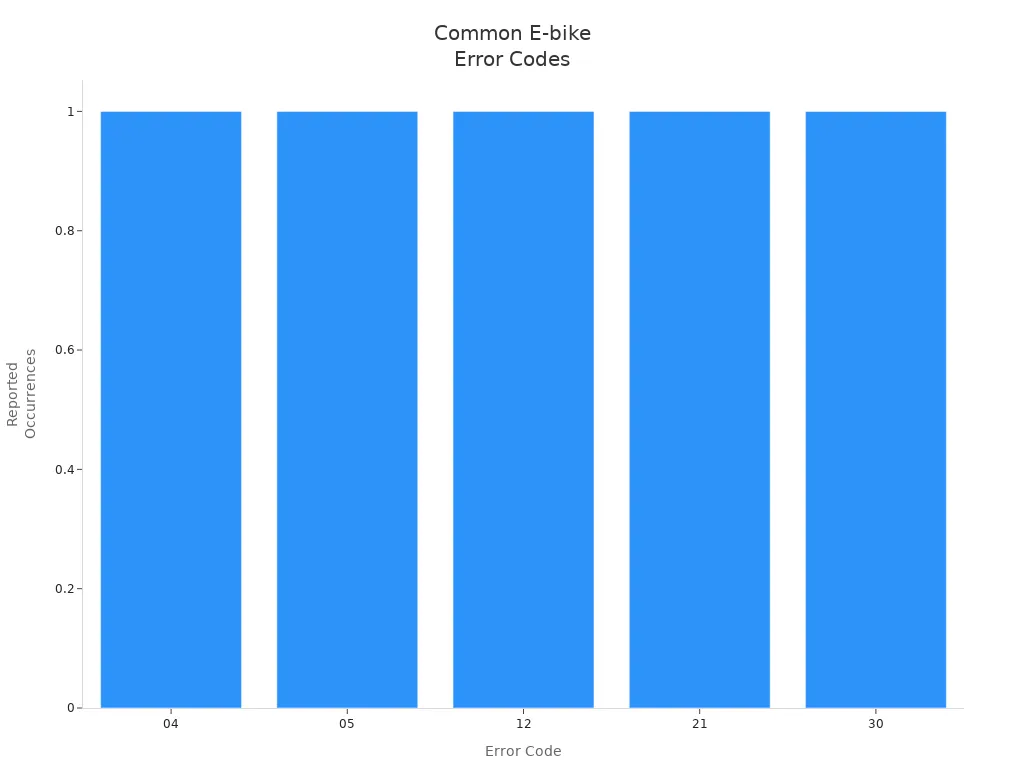
You may see error codes on your e-bike display when something goes wrong. These codes help you find problems quickly. Each code points to a specific issue with your controller or other parts. You can use error codes to guide your troubleshooting steps.
Here is a table that shows the most common error codes, what they mean, and what usually causes them:
| Error Code | Description | Typical Causes |
|---|---|---|
| 04 | Throttle not returning to position | Throttle stuck or damaged |
| 05 | General throttle fault | Loose wires or faulty throttle |
| 21 | Speed sensor abnormality | Misaligned magnet or broken sensor/cable |
| 30 | Communication error | Data exchange failure between components |
| 12 | Current sensor fault | Faulty current sensor inside the controller |
You can also see these error codes in a chart. The chart below shows how often each code appears on e-bike controllers:
Tip: If you see an error code, check your wiring and connectors first. Many problems come from loose wires or dirty contacts.
You can fix most error codes by following your e-bike manual. Start with a visual check. Look for broken wires or connectors. If you cannot clear the code, try resetting your controller. Some codes may need you to replace a part, like the throttle or sensor.
Common Issues
You may face common issues when you work with e-bike controller wiring. These problems can stop your bike from working or make it run poorly. You can solve most issues with careful testing and troubleshooting.
Here are some problems you might see:
- Motor does not run: Check battery voltage and motor connections. Make sure all wires fit tight.
- Throttle does not respond: Inspect throttle wires and connectors. Look for error codes 04 or 05.
- Pedal assist fails: Test the pedal sensor. Clean the magnet and check the sensor wire.
- Display is blank: Check display connector and power wire. Make sure the battery is charged.
- Brakes do not cut motor: Inspect brake lever wires. Test the cut-off switch for proper function.
- Speed sensor error: Look for error code 21. Align the magnet and check the sensor cable.
- Controller gets hot: Make sure wires are thick enough. Check for loose connections or damaged insulation.
Note: You can prevent many issues by checking your wiring before each ride. Clean connectors and keep wires dry.
If you see a problem, start with a visual check. Use a multimeter to test wires and connectors. Follow the steps in your e-bike manual for testing and troubleshooting. You can fix most problems without special tools. If you cannot solve the issue, ask a bike shop for help.
Maintenance and Optimization
Regular Checks
You keep your e-bike running well when you check it often. Regular checks help you find problems before they get worse. You should look at your controller, wires, and connectors every week. Use a flashlight to see small cracks or loose wires. Clean dust and dirt from the controller with a dry cloth. Check for water or rust near connectors. If you see damage, fix it right away.
Here is a simple checklist for your regular maintenance:
- Inspect wires for cuts or wear.
- Make sure connectors fit tight.
- Look for signs of rust or water.
- Test the throttle and brakes.
- Check the display for error codes.
- Listen for strange sounds from the motor.
Tip: Write down what you find during each check. This helps you remember when you last fixed something.
Replacing Parts
You need to replace parts when they wear out or break. Old wires can crack and lose power. Connectors may get loose after many rides. The throttle or brake levers can stop working. You should buy parts that match your e-bike model. Always use the same type of connector and wire gauge.
Follow these steps to replace a part:
- Turn off your e-bike and remove the battery.
- Find the broken part and disconnect it.
- Match the new part to the old one.
- Connect the new part using the right connector.
- Insulate wires with heat shrink tubing.
- Test the new part before you ride.
Here is a table to help you know when to replace common parts:
| Part | Signs You Need to Replace | How Often to Check |
|---|---|---|
| Wires | Cracks, cuts, or burns | Every month |
| Connectors | Loose fit, rust, or melting | Every month |
| Throttle | No response, error codes | Every ride |
| Brake Levers | No cut-off, hard to pull | Every ride |
| Display | Blank screen, flickering | Every ride |
Firmware Updates
You can make your e-bike smarter by updating the controller’s firmware. Firmware is the software inside your controller. New updates fix bugs and add features. You should check the maker’s website for updates every few months. Download the update and follow the instructions. Use a USB cable or Bluetooth to connect your controller to your computer or phone.
Here are steps for a safe firmware update:
- Charge your battery before you start.
- Read the update guide from the maker.
- Connect your controller to your device.
- Start the update and wait for it to finish.
- Test your e-bike after the update.
Note: Never turn off your e-bike during an update. This can damage the controller.
You keep your e-bike safe and working well when you follow these steps. Good maintenance helps you ride longer and avoid problems.
Long-Term Safety
You want your e-bike to last for years. Long-term safety starts with good habits and smart choices. You protect your investment and keep every ride safe when you follow these steps.
1. Store Your E-Bike Properly
Keep your e-bike in a dry, cool place. Avoid leaving it outside in rain or direct sunlight. Water and heat can damage wires and connectors. If you must store your bike outside, use a waterproof cover.
2. Protect Against Corrosion
Moisture causes rust and corrosion. You can use dielectric grease on connectors to block water. Check for green or white powder on metal parts. Clean any corrosion with a soft brush and apply more grease.
3. Inspect for Wear and Tear
Look at your wires and connectors every few months. Search for cracks, frayed wires, or loose plugs. Replace any damaged parts right away. Worn wires can cause shorts or fires.
4. Avoid Overloading
Do not add too many accessories or use parts that draw more power than your controller can handle. Overloading can overheat wires and damage your controller. Always check the power rating before adding new devices.
5. Ride Safely
Smooth riding helps your wiring last longer. Avoid rough terrain and big bumps when possible. Secure all wires so they do not rub against moving parts or sharp edges.
6. Schedule Deep Inspections
Once a year, do a full check of your e-bike’s electrical system. Remove covers and look at hidden wires. Use a multimeter to test for hidden problems. If you find anything strange, fix it before you ride again.
Tip: Write down each inspection and repair in a notebook. This record helps you track your e-bike’s health over time.
Long-Term Safety Checklist
| Task | How Often | Why It Matters |
|---|---|---|
| Store in dry, cool place | Always | Prevents water and heat damage |
| Check for corrosion | Every 3 months | Stops rust and connector failure |
| Inspect wires/connectors | Every 3 months | Catches wear before it’s serious |
| Avoid overloading | Always | Protects controller and wiring |
| Deep inspection | Yearly | Finds hidden or slow damage |
You keep your e-bike safe and reliable when you follow these steps. Good habits today mean fewer problems tomorrow. Your e-bike controller wiring will last longer, and you will enjoy every ride with peace of mind.
You keep your e-bike safe and running well when you wire the controller correctly. Regular checks and good habits help you avoid problems and stay protected. Follow each step in this guide to make sure your connections work and your ride stays smooth. Use these tips for troubleshooting and caring for your e-bike over time. Your attention to wiring and maintenance gives you better performance and peace of mind.
FAQ
How do you know if your e-bike controller is bad?
You may see error codes, hear strange noises, or notice the motor does not run. The display might not turn on. Check wires and connectors first. If problems continue, your controller may need replacement.
Can you use any controller with any e-bike motor?
No, you cannot use any controller with any motor. You must match voltage, current, and connector types. Always check your motor and controller specifications before connecting them.
What should you do if your e-bike throttle is not working?
First, check the throttle wires and connectors. Use a multimeter to test for voltage. Make sure the throttle matches your controller. Replace the throttle if you find damage or no signal.
Why does your e-bike controller get hot?
Controllers get hot from high current, loose wires, or poor ventilation. Thick wires and tight connectors help prevent overheating. Keep your controller clean and away from direct sunlight.
How can you waterproof your e-bike controller wiring?
Use heat shrink tubing and waterproof connectors. Apply silicone sealant at wire exits. Keep all connections dry and clean. Waterproofing helps prevent short circuits and corrosion.
What tools do you need for e-bike controller wiring?
You need wire cutters, strippers, a soldering iron, a crimping tool, heat shrink tubing, electrical tape, a multimeter, and screwdrivers. These tools help you make safe and strong connections.
Can you reset your e-bike controller?
Yes, you can reset most controllers. Turn off your e-bike, disconnect the battery, and wait a few minutes. Reconnect the battery and turn the bike on. Check your manual for special reset steps.
What does an error code 21 mean on your e-bike?
Error code 21 means a speed sensor problem. Check the sensor cable and magnet. Make sure the sensor lines up with the magnet. Clean the area and reconnect the wires.

Ryan Williams has spent over 8 years testing, repairing, and writing about electric bikes. He has personally ridden and reviewed 150+ e-bike models from brands like Lectric, Aventon, Rad Power, Super73, and dozens more.
Before founding EBIKE Delight, Ryan worked as a bicycle mechanic for 5 years at independent bike shops across California, where he specialized in e-bike conversions and electrical system diagnostics. He holds a Certificate in Electric Vehicle Technology from the Light Electric Vehicle Association (LEVA).
Ryan’s work has been cited by Electric Bike Report, Electrek, and BikeRumor. When he is not testing the latest e-bike on California backroads, he is in his workshop tearing down batteries and controllers to understand what makes them tick — and what makes them fail.
Areas of Expertise
E-bike performance testing and real-world range verificationBattery diagnostics, charging best practices, and safetyBrand comparisons: Lectric, Aventon, Rad Power, Super73, and moreError code troubleshooting across major e-bike systemsE-bike laws, registration, and compliance by state
Ryan believes every rider deserves honest, hands-on information — not marketing hype.